How to add text to a PDF
Place a name, date, or note on a PDF and check the result before sending it.
By PDF Bop ·
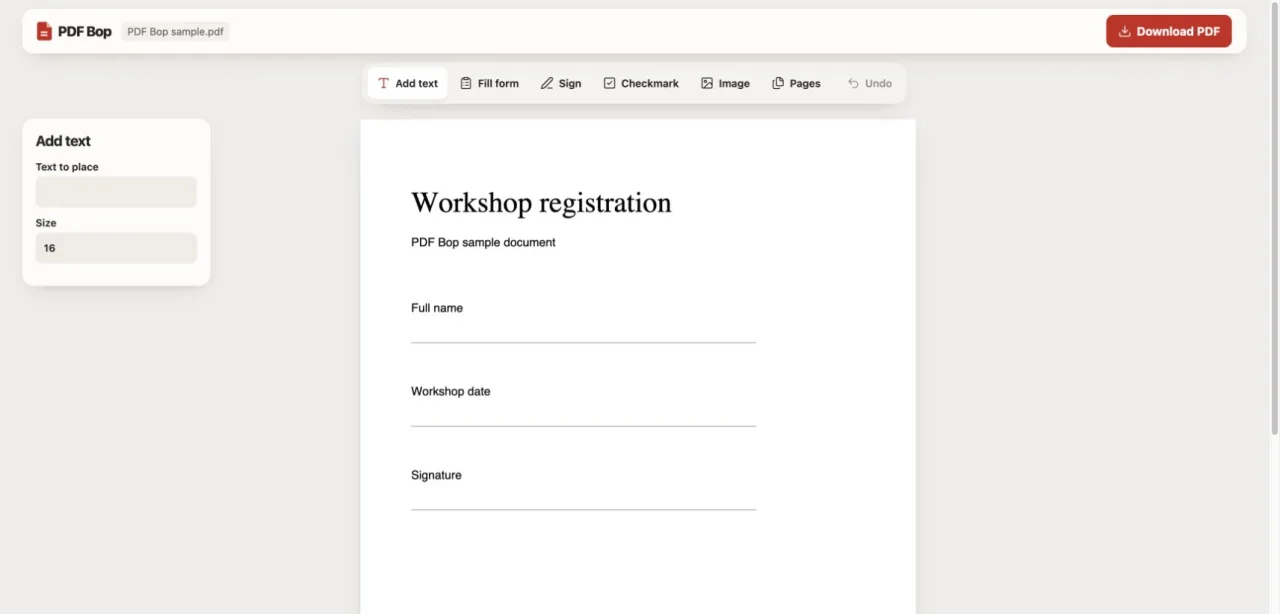
Use Add text when the PDF has a blank space for your answer or you want to place a note on top of the page. For example, you can type your name on a registration line even if clicking that line does not open a field.
Add and place the text
- Open your file with Add Text to PDF.
- Enter the words in Text to place and choose a size.
- Click the spot on the document where the words belong.
- Look under Added to this page to edit the text or size. Choose Move and then click a new spot to adjust its position.
- Select Download PDF and open the downloaded copy.
| Where you want the text | What to check |
|---|---|
| A blank line | Keep the letters above the rule and aligned with nearby answers. |
| A narrow box | Start with a short answer and reduce the size if it runs over the edge. |
| A later page | Select the intended page before clicking to place the text. |
When to use a different tool
If your form already has editable fields, use Fill form. If you need to correct a typo in existing PDF text, try the original-content editor on a supported file. Added text sits on the page and does not remove the original text beneath it.
Check the exported PDF at normal reading size. Pay particular attention to edges, underlines, and any multi-line answer that might extend beyond its box.